Voice AI demo
A Voice AI agent books a next-day appointment over the phone, with the live transcript and the clinic record updating - 4:06.
Player not loading? Watch on Google Drive
Bharat ClinicOS · by LemoaHealth
One shared view of every patient request.
Bharat ClinicOS gives reception and care teams one shared view of patient requests, appointment coordination, and follow-up, so every handoff has the context to move forward.
Designed to support your team, never replace clinical judgement.
From the first enquiry to follow-up, keep patient context and the next action connected.
See it in action
A recorded Voice AI call, and a walkthrough of scheduling an appointment in Bharat ClinicOS - both real product recordings.
A Voice AI agent books a next-day appointment over the phone, with the live transcript and the clinic record updating - 4:06.
Player not loading? Watch on Google Drive
Scheduling an appointment in the appointments & reception module - patient details, date and time, and the request landing on the day list - 1:55.
1:55 excerpt (source 05:50–07:45) of the appointments & reception walkthrough · Watch the full recording
The clinic, clearly in view
Keep enquiries, intake context, appointment activity, and follow-up visible to the team. Dashboard shown with example data.
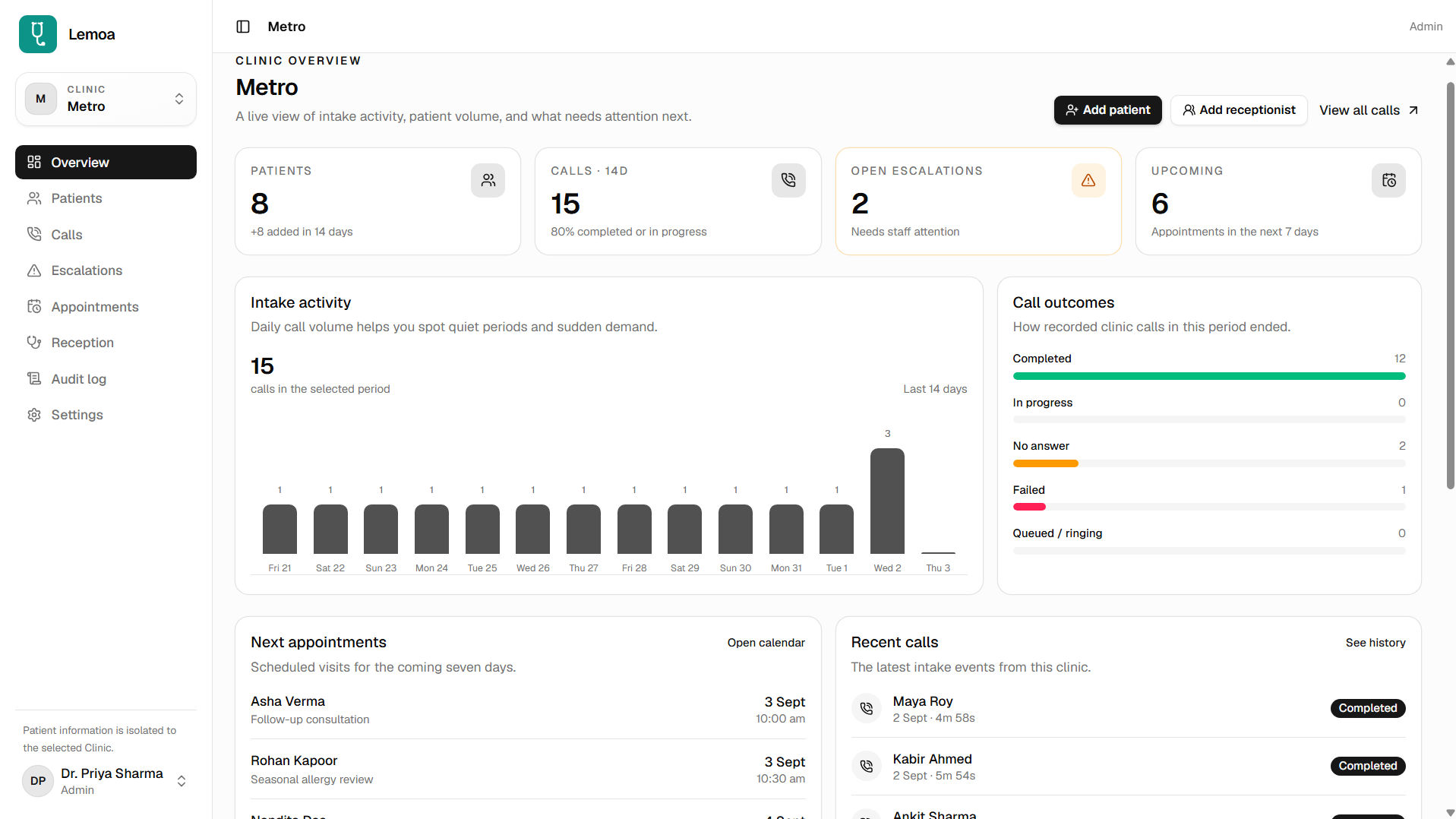
WhatsApp and Voice AI can bring enquiries, appointment requests, and follow-up responses into the clinic’s shared work.
Capture why a patient reached out and give the team a clear starting point.

Route routine questions and appointment requests toward the right next step.
Keep patient responses and the next follow-up visible to the team.
Pass the request and its collected details to the teammate taking the next step.
Clinic OS essentials
Keep patient context, appointment requests, and follow-up actions visible in one shared workflow for reception and care teams.
Patient context
Keep the details shared in a patient request visible to the team member handling the next step.
Voice call handoffs
Keep the patient’s request, response, and next staff action connected after a call.
Team follow-through
Keep handoffs and follow-up actions visible so requests do not disappear between conversations.
Clinic OS, at work
Keep patient requests, appointment coordination, and team follow-through connected.
Bring incoming questions and appointment requests into a workflow the team can review.
Give the teammate picking up a request the details already shared in the conversation.
Track booking or rescheduling intent and make the next coordination step clear.
Bring WhatsApp and voice interactions into the same team follow-through story.
Keep the next owner and the context for staff review visible after an interaction.
Make reminders, responses, and outstanding next steps easier for the team to track.
From first message to next step
Connect an enquiry, the patient context, appointment coordination, and follow-up. Your team can review or take over whenever a person is needed.
WhatsApp requests, in the team workflow
Bring a WhatsApp enquiry into a clear clinic workflow, with the request and collected details ready for the right teammate to review.
Voice calls, with context attached
Voice AI can handle configured routine calls and follow-ups, then pass the response and a useful summary to the clinic team when staff attention is needed.
Language and channel availability are confirmed for your clinic during setup.

 English
 हिन्दीதமிழ்
People stay in control
When a request needs staff attention, the team can take over with the conversation context in view.
Choose which routine questions and operational steps are handled automatically and which go to staff.
Automation supports clinic operations; clinical judgement and care decisions stay with your team.